Coming Soon: A Simpler Way to Start Emergency Rolls
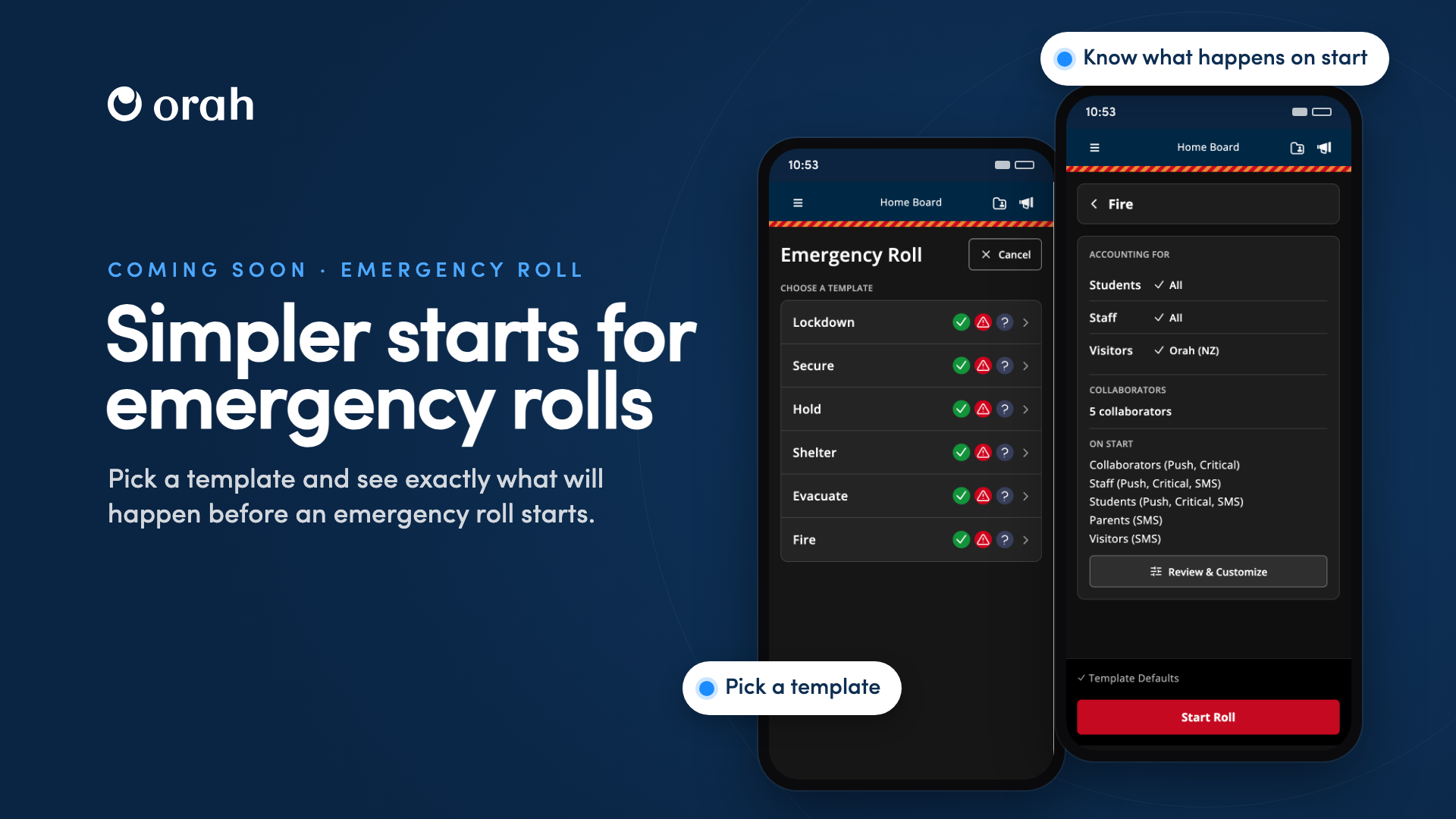
Coming soon to mobile and desktop.
Starting an emergency roll in Orah is getting simpler and quicker to load. Instead of a long setup form, staff pick one of your school's emergency templates and see exactly what will happen before the roll starts.
How It Works
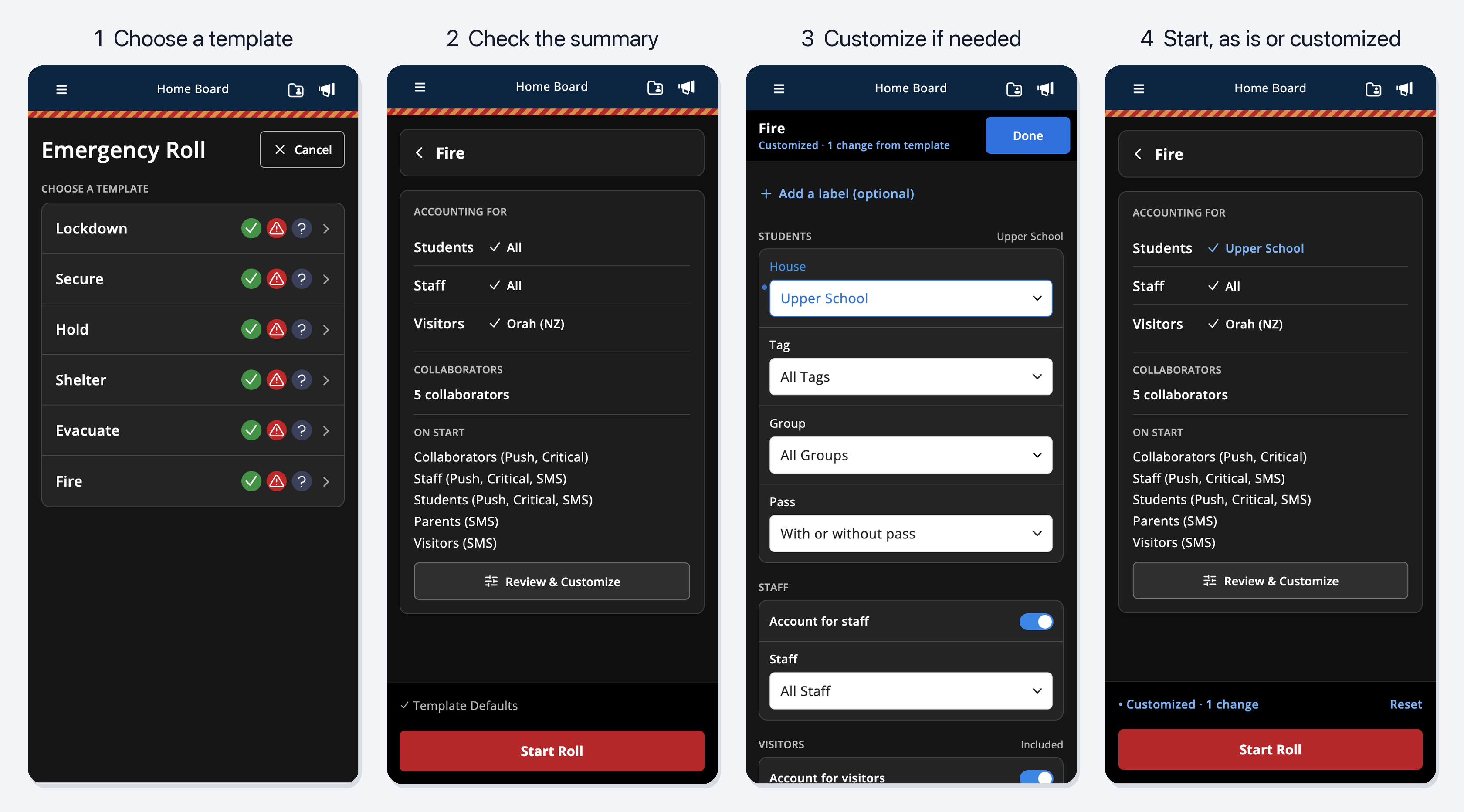
Pick a template. Starting an emergency roll opens straight onto your school's emergency templates, such as Fire, Evacuate, Lockdown or Shelter. Each template is set up in advance with who it covers, so staff only need to pick the right one.
Schools with more than one campus can create templates for each campus, such as Lower School Evacuate or LS Evacuate, so the right students, staff, collaborators and alerts are ready to go for that campus.
Know what happens before it starts. After picking a template, staff see who is being accounted for (students, staff and visitors), how many collaborators will join, and which alerts will go out to parents and contacts, staff, students and visitors when the roll starts and when it's completed. If it looks right, tap Start Roll.
Customize only when you need to. Review & Customize lets staff change anything for that roll: student filters, staff and visitors, collaborators, roll location and auto check-in (where your school uses them), a label for the roll, or the alerts. Each change is highlighted, and the summary shows Customized · 1 change so it's clear when a roll differs from its template. Reset returns everything to the template defaults.
Customizations apply only to the roll being started. Your saved templates don't change, and choosing a different template clears any changes.
Why It Matters
In an emergency, staff need to start the right roll quickly, without working through a form. Templates mean the right students, staff, collaborators and alerts are already set up, and staff can see exactly who will be accounted for and which alerts will go out before anyone is notified. Last month we showed emergency owners what happens before an emergency ends; now staff get the same clarity before one starts.
Next Steps
These updates are coming soon. When they reach your school:
Update the Orah app on staff devices
Check your emergency templates cover each of your procedures, and each campus if you have more than one
In your next emergency drill, pick a template and review what will happen before you tap Start Roll
Try Review & Customize, then Reset to return to the template defaults
Questions? Reach out to your CSM