Coming Soon: Making Orah easier to use in Emergencies
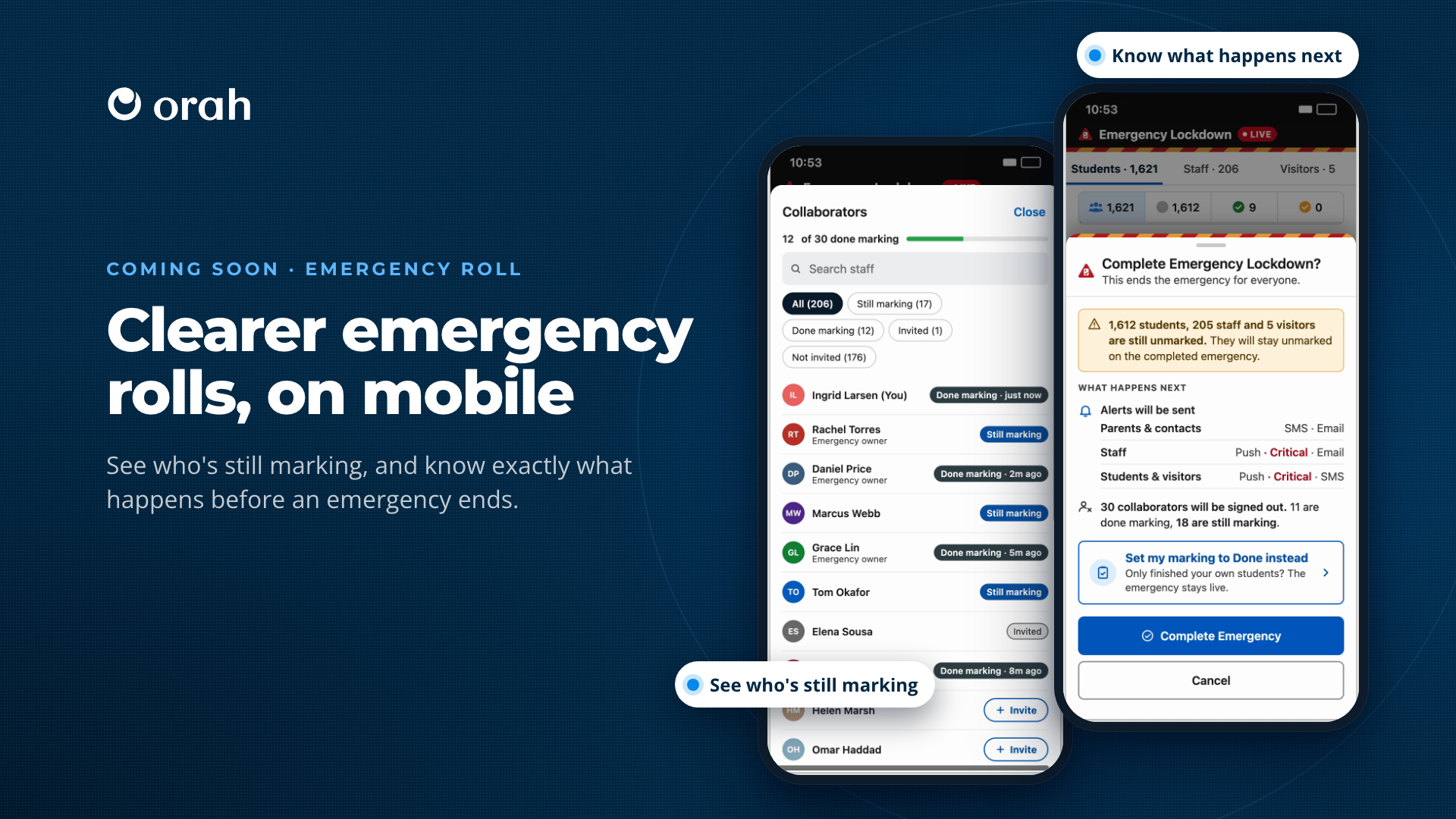
Demo:
Coming soon to mobile and desktop.
Emergencies in Orah are getting clearer for everyone involved. Staff can show when they've finished marking, and who's still in progress. Emergency owners see exactly what will happen before they complete an emergency.
What's New
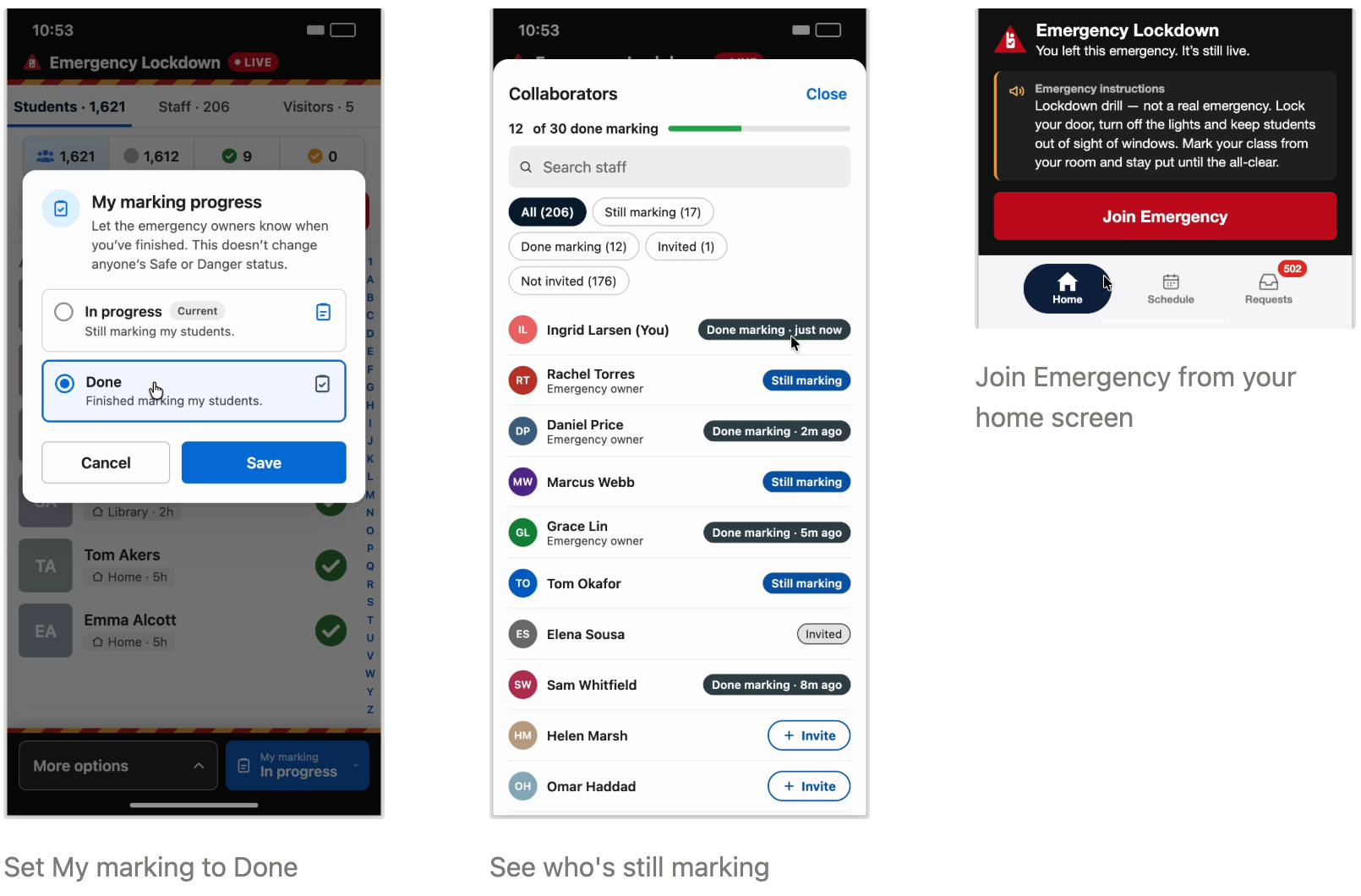
For staff marking students. When you've finished marking the students in front of you, set My marking to Done. Emergency owners can see you've finished. It doesn't change anyone's Safe or Danger status, and you can keep changing marks until the emergency is completed.
Under More options, Collaborators shows everyone's progress. If you have permission, you can invite staff who haven't joined yet, and they'll get a notification to join the emergency.
You can Save & Exit at any time without losing your marking progress.
A larger emergency banner on your home screen makes it clear and simple for anyone to join or re-join the emergency.
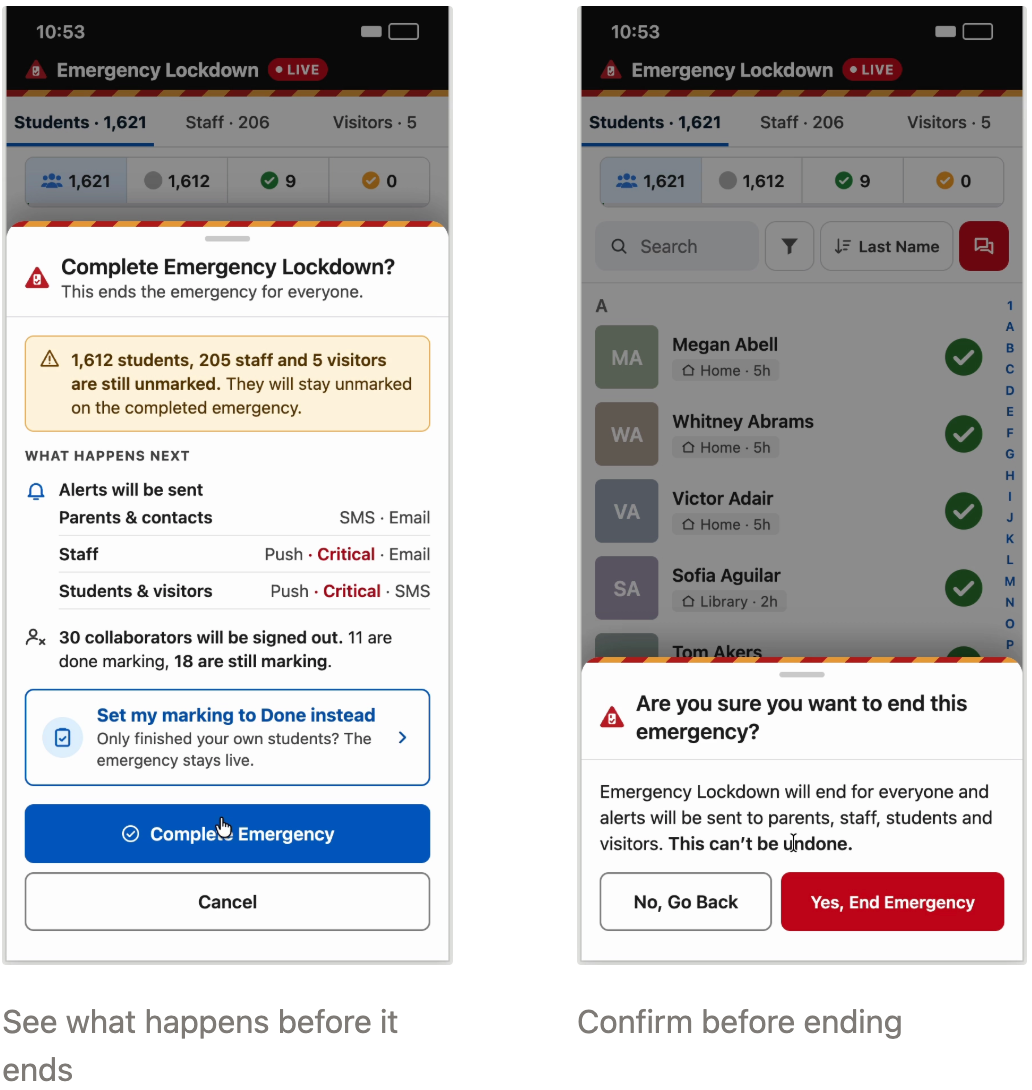
For emergency owners. Complete Emergency is now the owner's main action.
Before anything ends, owners see who is still unaccounted for, which alerts will go out to parents and contacts, staff, and students and visitors, and how many collaborators will be signed out, including anyone still marking.
Owners who have only finished their own students can choose Set my marking to Done instead, and the emergency stays live. Ending an emergency asks for one final confirmation, to confirm that the owner is sure they want to end the emergency. Once it's completed, the alerts are sent and collaborators are signed out.
Why It Matters
In an emergency, everyone needs to know who's accounted for, how to end the emergency, and what happens next. Staff can see the marking status of the whole team is up to at a glance, anyone who steps away can get straight back in, and owners can end an emergency knowing exactly who's still unmarked and which alerts will go out.