Set Attendance Alerts to the Minute
The Snapshot
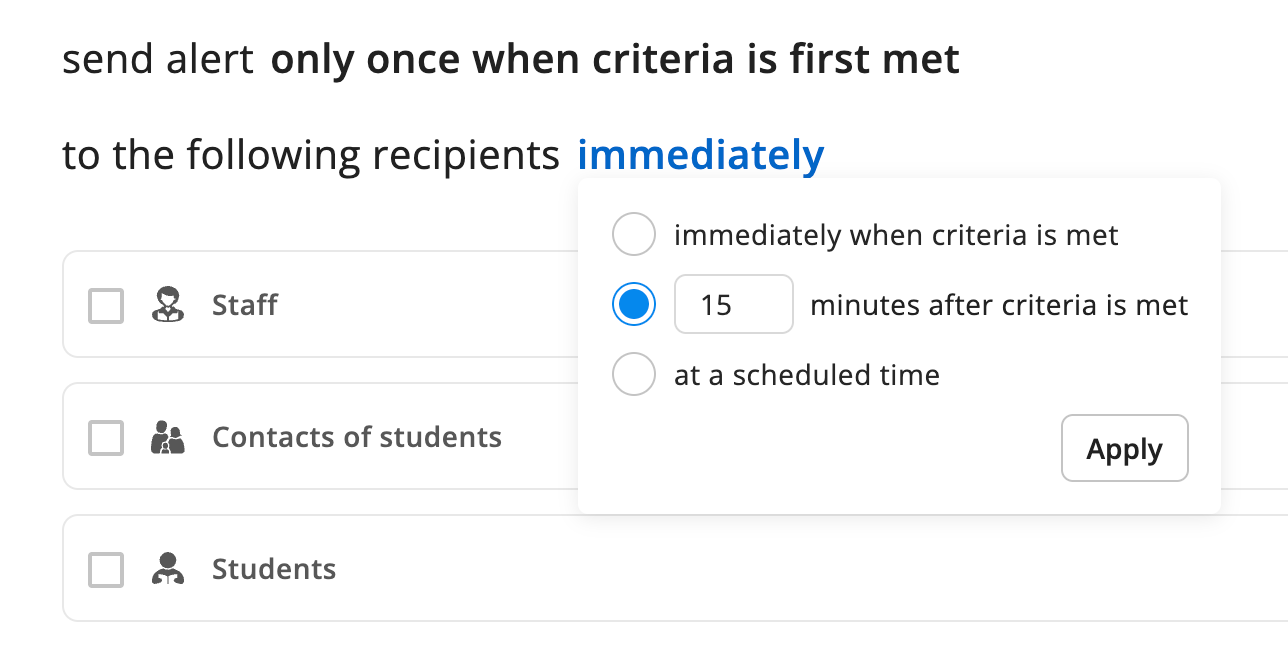
Attendance Alerts can now be set to trigger in minutes, not just hours. Get notifications faster and dial in timing that matches your school's response needs.
What's New
When configuring an Attendance Alert in Monitor, the timing setting now uses minutes instead of hours. Set an alert to fire 30 minutes after absence criteria is met — or as few as a handful of minutes — rather than waiting for a full hour. Existing alerts are unchanged until you update them.
Why It Matters
Some schools need to respond to unexplained absences within minutes, not hours. Finer timing control means your alerts can match your duty of care protocols exactly — whether that's a quick check-in during a busy morning or a faster escalation path for your boarding team.
Next Steps
Go to Monitor and open your Attendance Alert settings
Review the timing threshold on any alert
Update the value to minutes if your school needs faster notifications
Save
Your CSM can help you think through the right timing for your school.