Tag Colleagues in Activity Feed Posts
Demo:
The Snapshot
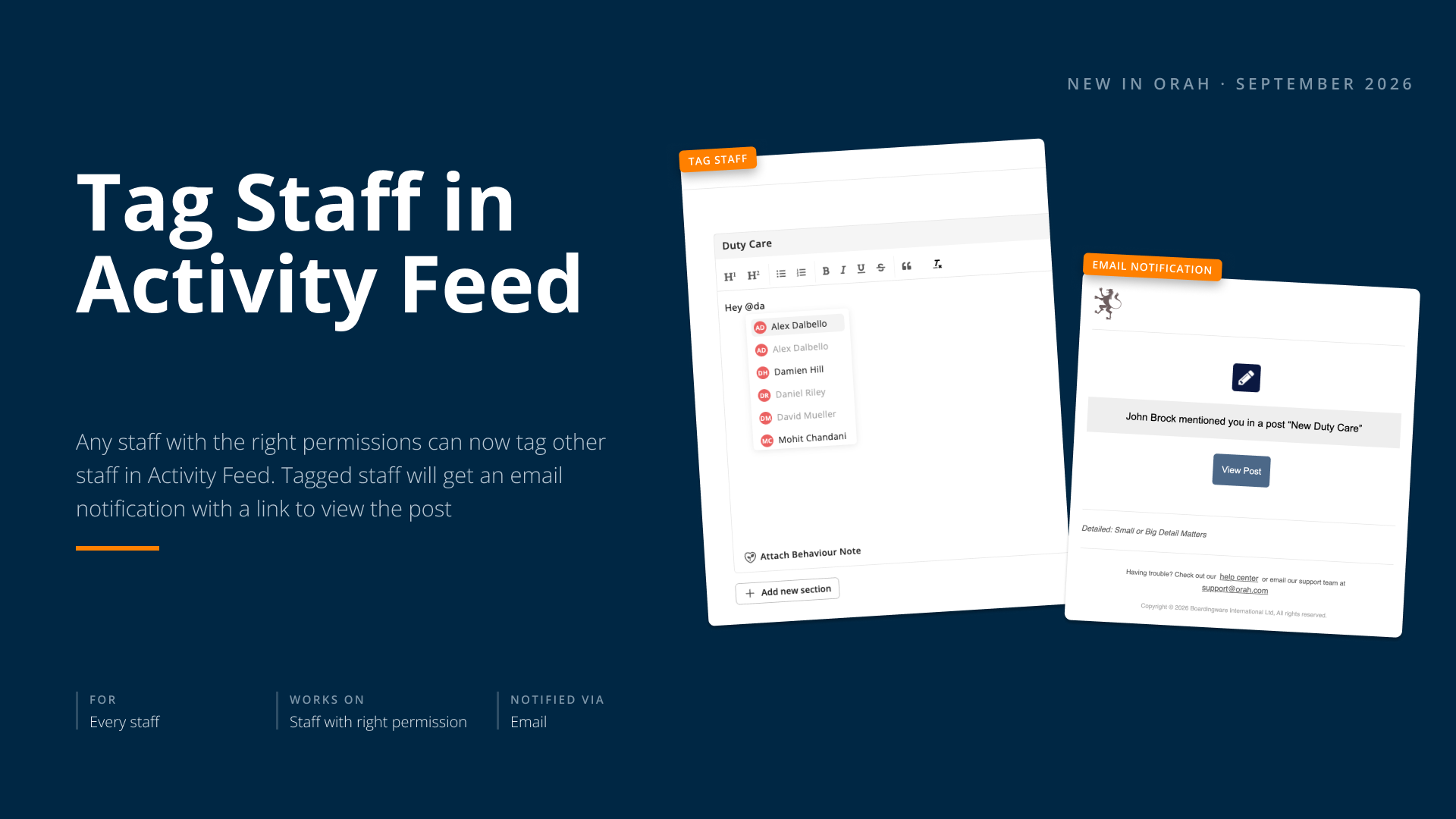
You can now tag a specific colleague in an Activity Feed post by typing @ followed by their name. They'll get an email notification with a direct link straight to that post.
What's New
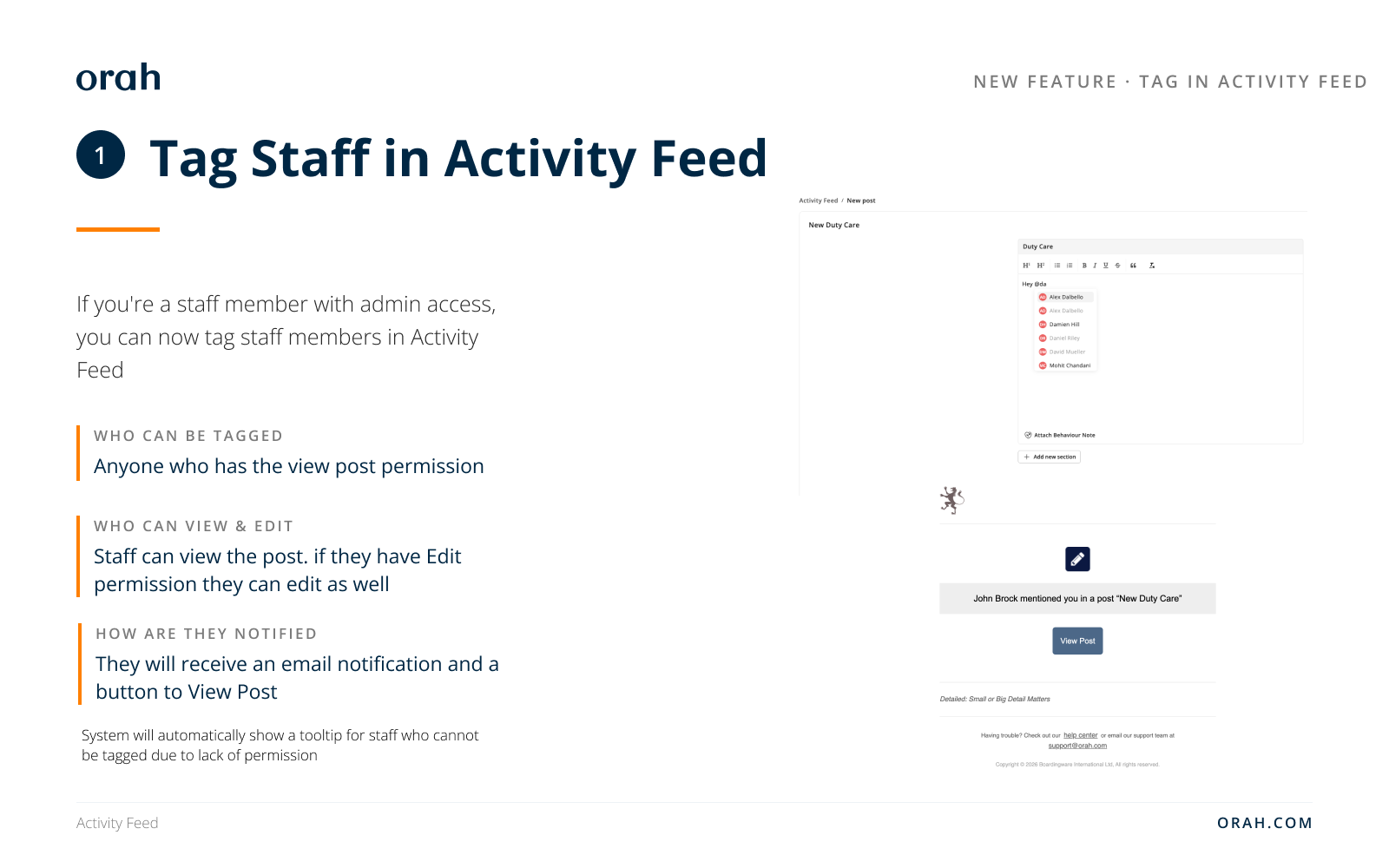
Type @ and a name to bring up a filtered, scrollable list of matching staff. If someone on that list doesn't have permission to view the post, they still appear — just greyed out, with a hover explanation so you know upfront they won't be notified. Once you tag someone who does have access, they receive an email pointing them straight to the post. For scheduled posts, that email only goes out once the post actually goes live, not the moment it's scheduled.
Why It Matters
No more hoping the right person happens to scroll past an update. If there's someone specific who needs to see a post, you can pull them in directly — and because tagging respects existing view permissions, you're never left wondering whether a tag will actually reach someone who's meant to see it.
Next Steps
Start writing or editing an Activity Feed post
Type @ followed by a colleague's name
Select them from the list — greyed-out names indicate they won't be notified due to permissions
Publish (or schedule) the post — tagged staff with access receive an email linking directly to it
Questions about tagging? Reach out to your CSM.