Set Up Divisions Once, Use Everywhere
The Snapshot
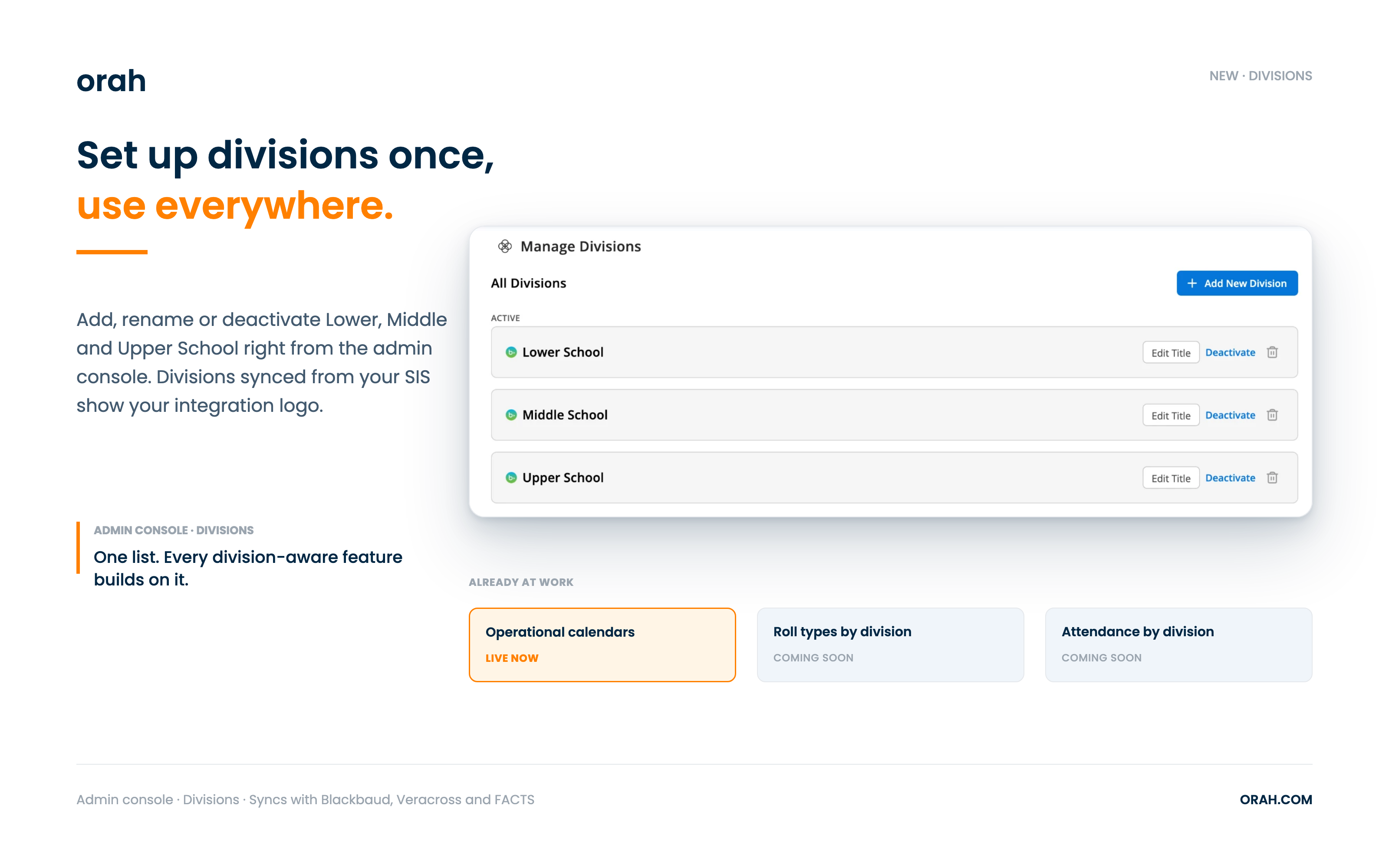
You can now manage your school's divisions, like Lower, Middle and Upper School, right from the admin console. Set them up once, and Orah can tailor attendance, calendars and more to each part of your school.
What's New
You can add, rename, deactivate or reactivate divisions whenever you need to. If a division has no students and isn't synced from your SIS, you can delete it. Divisions synced from Blackbaud, Veracross or FACTS show your integration logo. If you rename a synced division, Orah keeps your name on future syncs and shows the original SIS title for reference.
Your list is already at work. Operational calendars are assigned by division, so each part of your school can follow its own school start and end times.
Why It Matters
Most schools aren't one-size-fits-all. A Lower School day doesn't look like an Upper School day, and your settings shouldn't have to pretend it does. Divisions are the foundation that lets Orah follow the way your school is organised. Every division-aware feature builds on the list you set up today, so there's nothing to rebuild later.
Next Steps
Open Divisions in the admin console
Review your list and sync from your SIS
Add, rename or deactivate divisions so the list matches how your school works
Assign each division its operational calendar
Give it a look and tell us what you'd like Divisions to do next. Questions? Reach out to your CSM.
Coming Soon: Features That Will Use Your Divisions
These upcoming features read from the divisions list you're setting up today.
Give Each Division Its Own Roll Types
What's New
Choose a roll type for each kind of class and for each division. When a teacher starts a roll, Orah uses the roll type set for that class's division. Automated attendance mapping moves into the same place, and your existing assignments carry over to every division.
Why It Matters
Teachers see only the options that fit their division, and the right roll type is already selected. Each division can run on its own attendance codes and rules. Staff don't have to choose a roll type every time.
See Attendance One Division at a Time
What's New
A new workspace selector will sit at the top of the Attendance page. Choose All School, a division or a house, and every attendance tab follows your choice. The date filter also shows the school years and terms for the division you've selected.
Why It Matters
Each division gets its own attendance picture, with no filtering by hand. Insights count classes by the class's division and students by the student's division, so one division's numbers aren't skewed by another's. All School is always one click away.