Text Message Codes for the Secure Parent Link
What's New
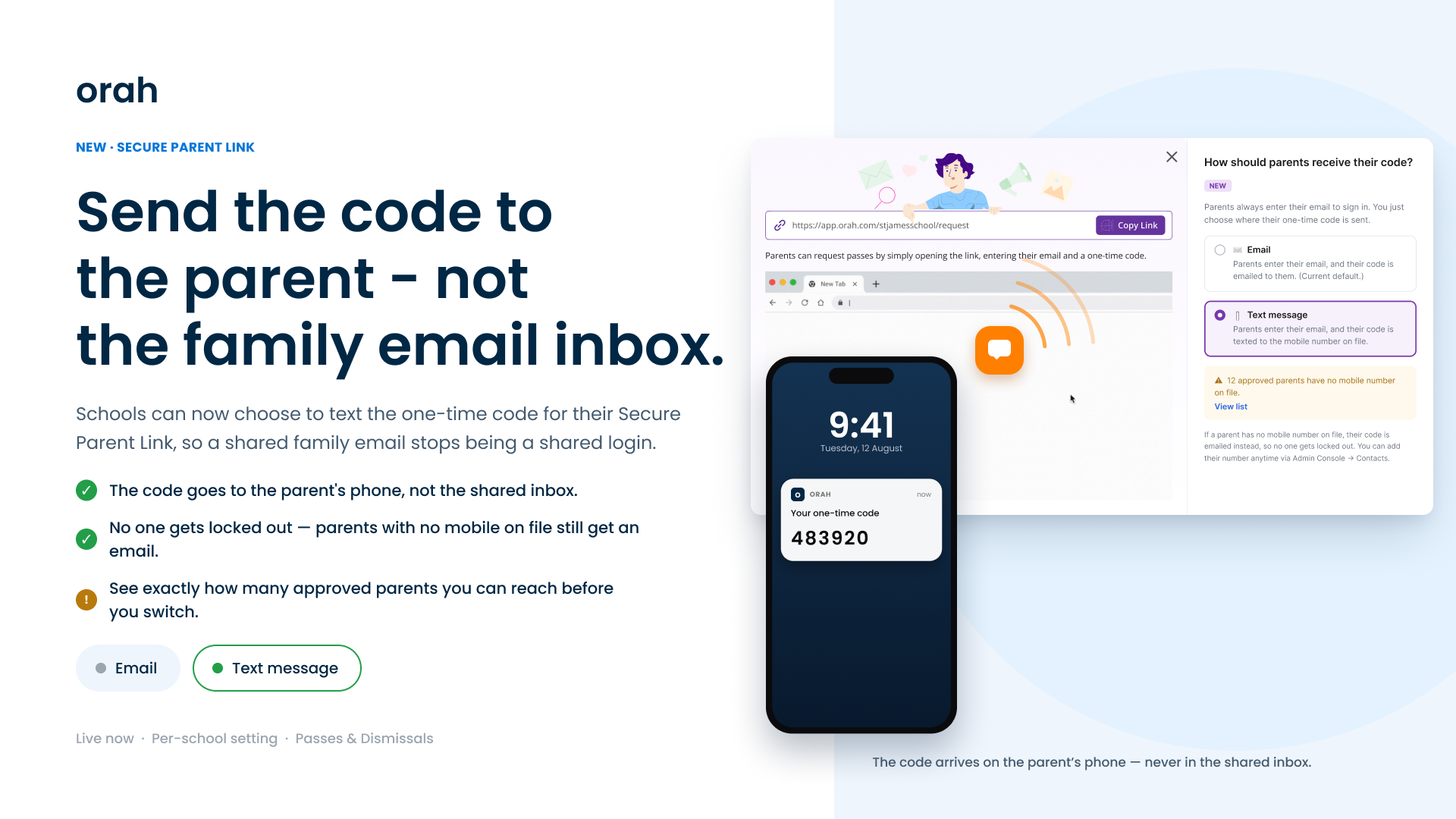
Schools can now send the Secure Parent Link one-time code by text message.
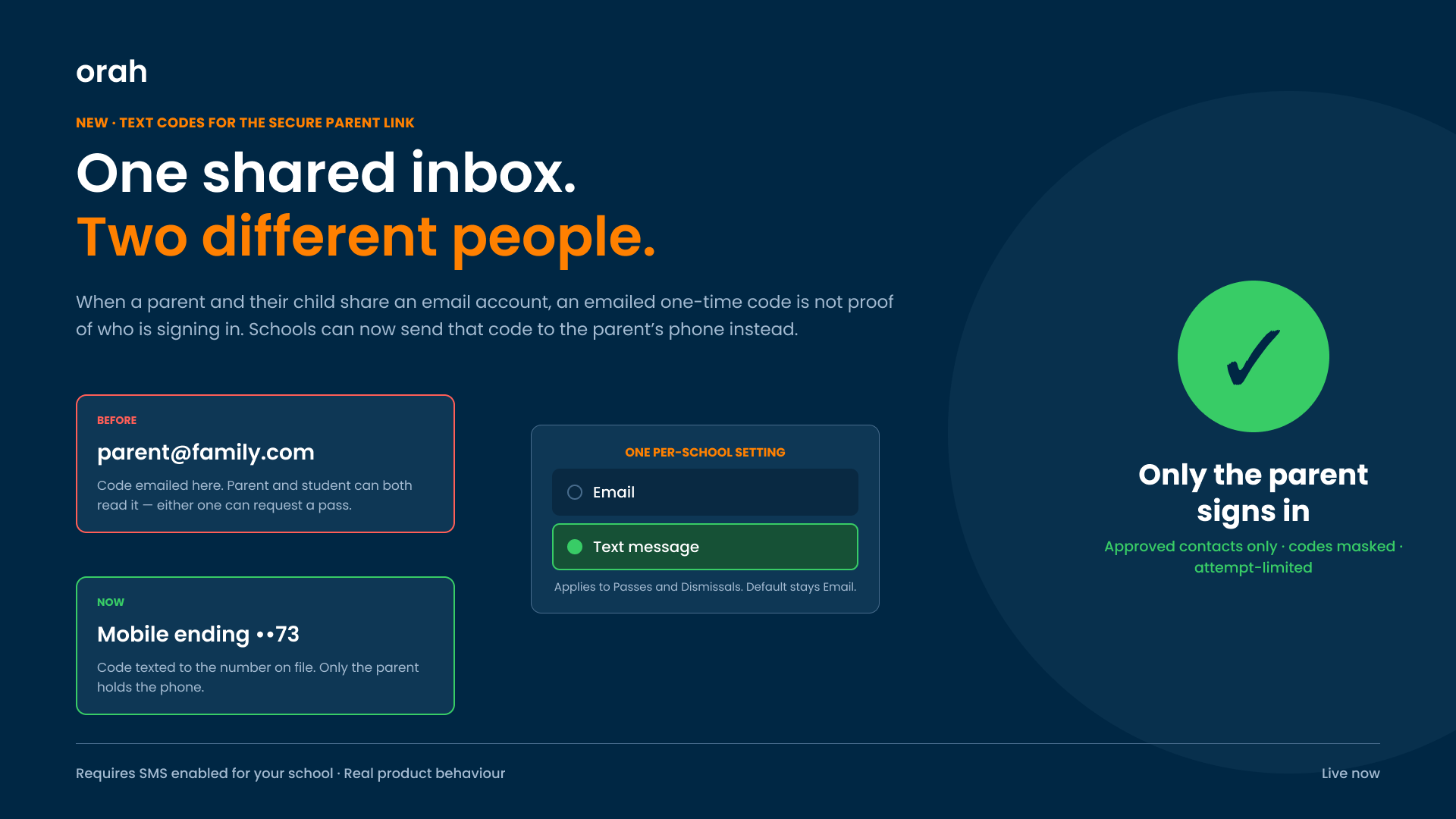
Plenty of families share one email account between a parent and their child, which means the sign-in code arrives somewhere the student can read it and use to request their own pass. Sending it to the parent's mobile fixes that. The delivery method is a per-school setting, and it sits in the Secure Parent Link modal next to the link and copy button you already use. Every school stays on Email until an admin changes it.
Key Benefits
Closes the shared-inbox gap: The code lands on the parent's phone. A student reading the family inbox never sees it.
No one gets locked out: If an approved parent has no mobile number on file, their code is emailed instead.
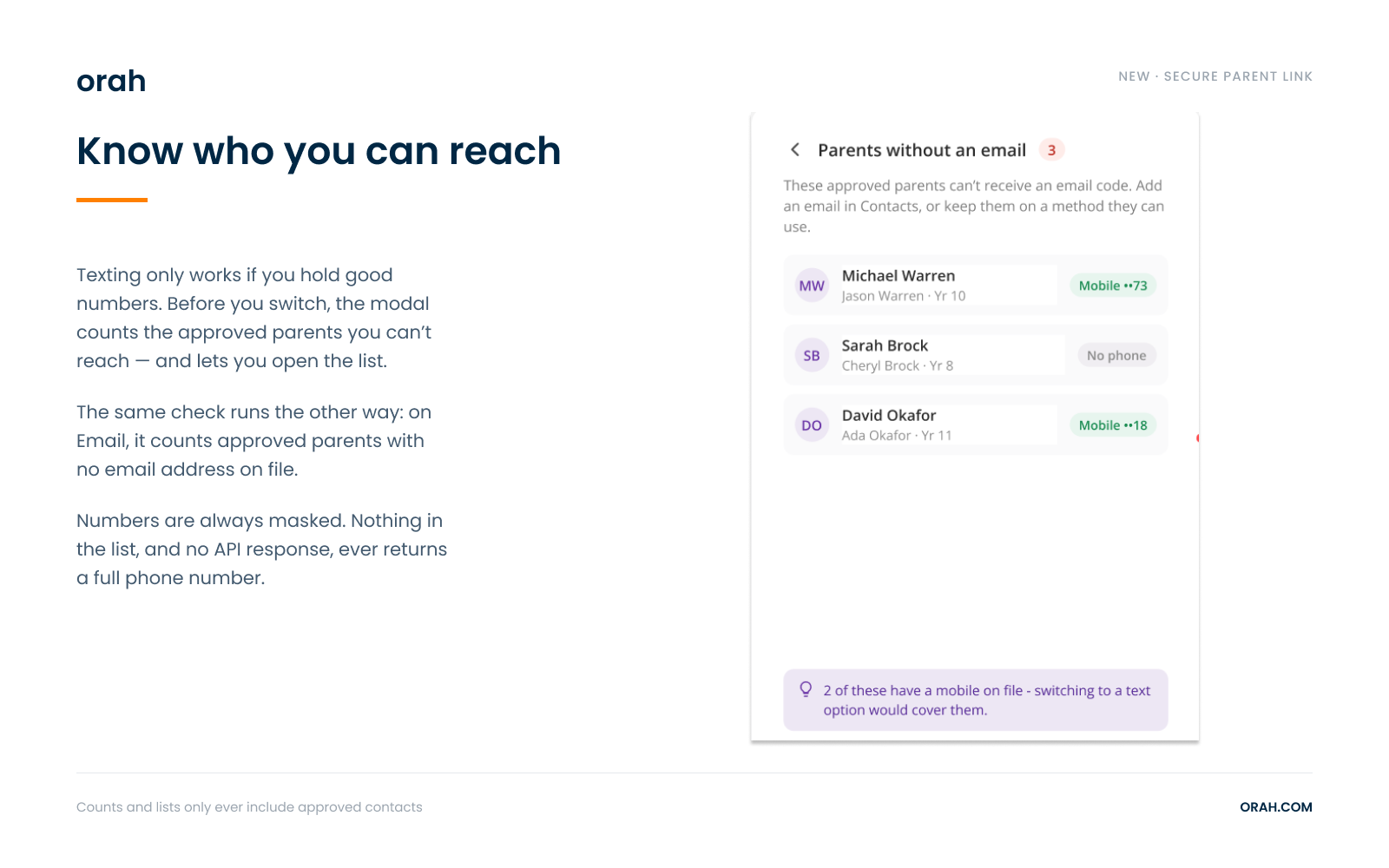
You can check your data first: The modal counts the approved parents you cannot reach and lets you open that list, export it, or notify your admins.
Access rules are untouched: Only approved contacts can sign in. Where the code goes has no bearing on who is allowed in.
One setting, both modules: Your Passes and Dismissals links follow the same choice.
How It Works
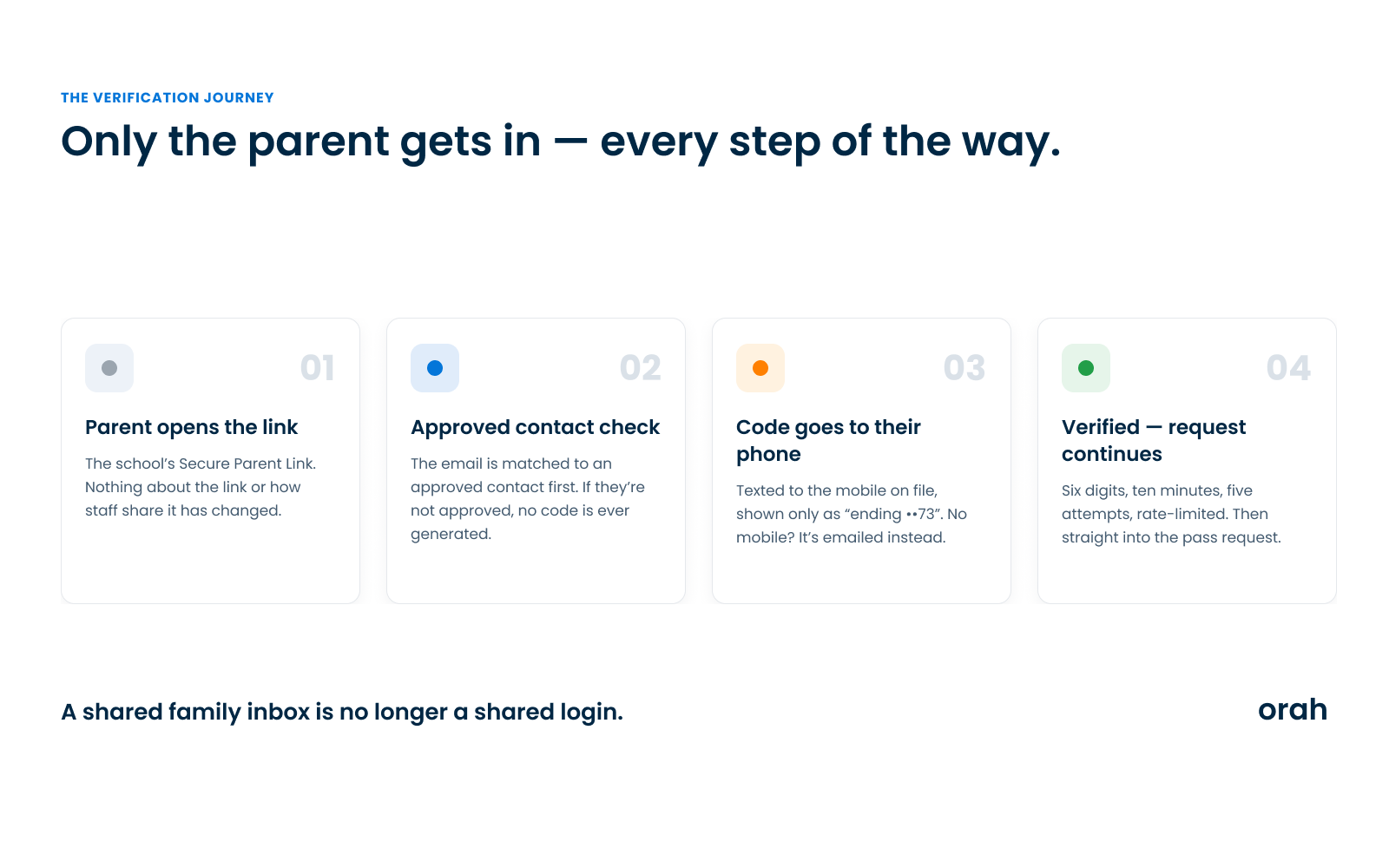
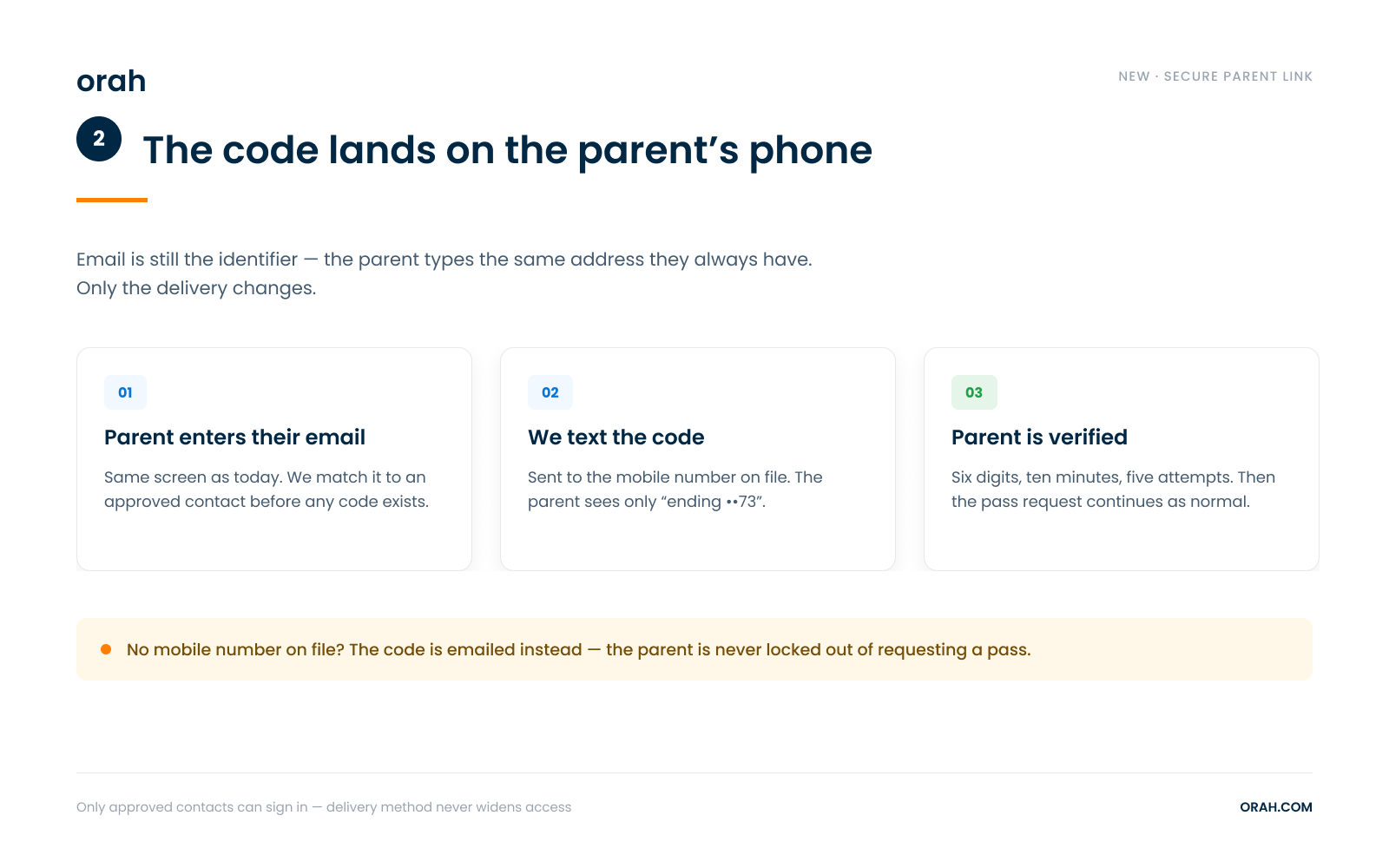
The parent opens your Secure Parent Link and types their email, exactly as before. Email stays the identifier. Orah matches that address to an approved contact before any code is generated.
On Text message, the code goes to the mobile number held against that contact, and the parent sees only the last two digits, for example "ending ••73". Phone numbers are masked everywhere in the product and full numbers are never returned by any endpoint.
If that contact has no valid mobile number, the code is emailed and the parent is told why.
Getting Started
Open Passes or Dismissals and click Secure Parent Link
Under How should parents receive their code?, pick Email or Text message
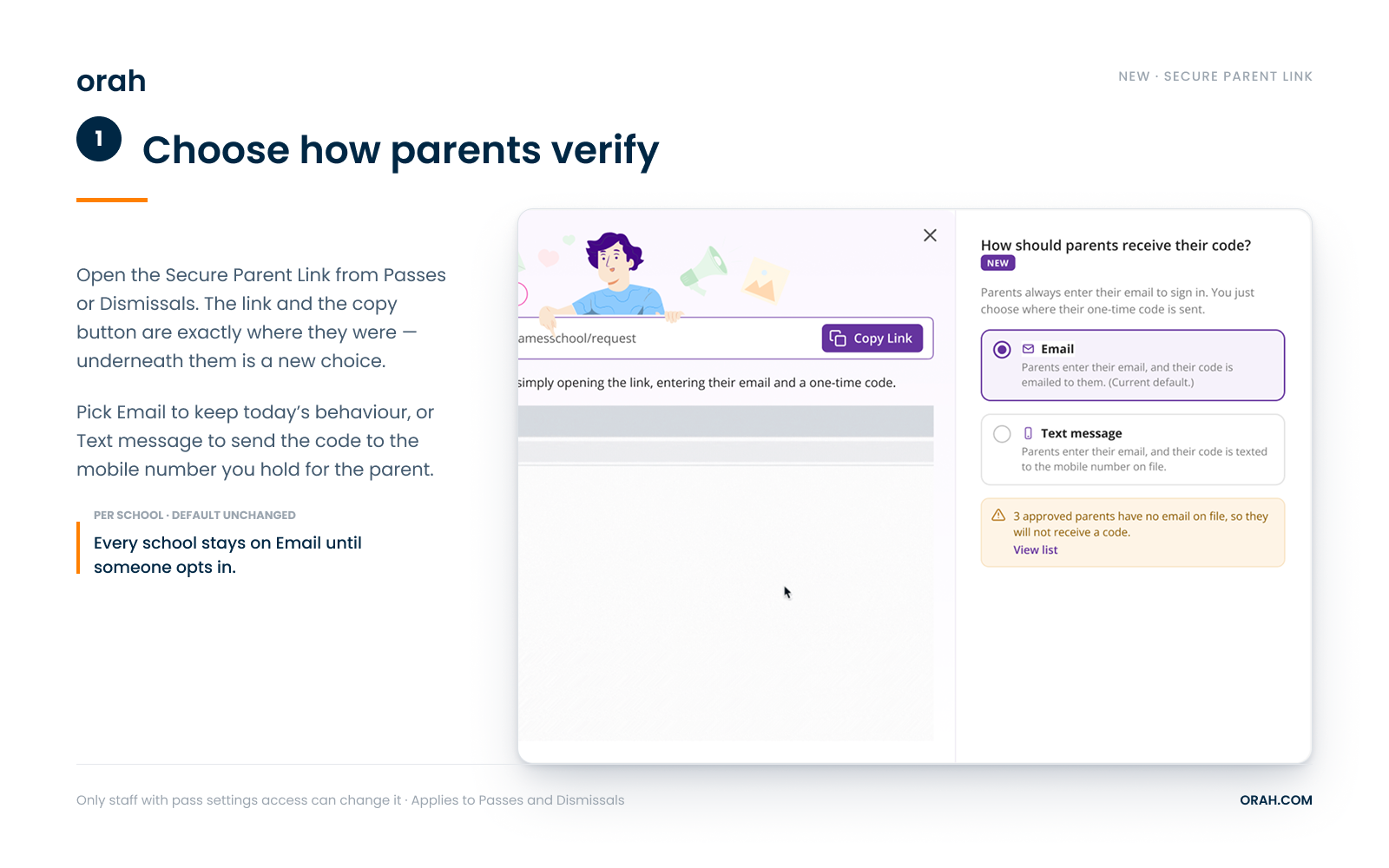
Read the readiness warning, and use View list if approved parents are missing numbers
Save
Text message verification requires SMS to be enabled for your school, and an active SMS package for codes to actually send. Until both are in place, this option stays disabled. Only staff with pass settings access can change the verification method -everyone else can still copy and share the link.Questions? Reach out to your CSM.