Visitor Aware: multi-site, emergency roll accountability, and all-clear
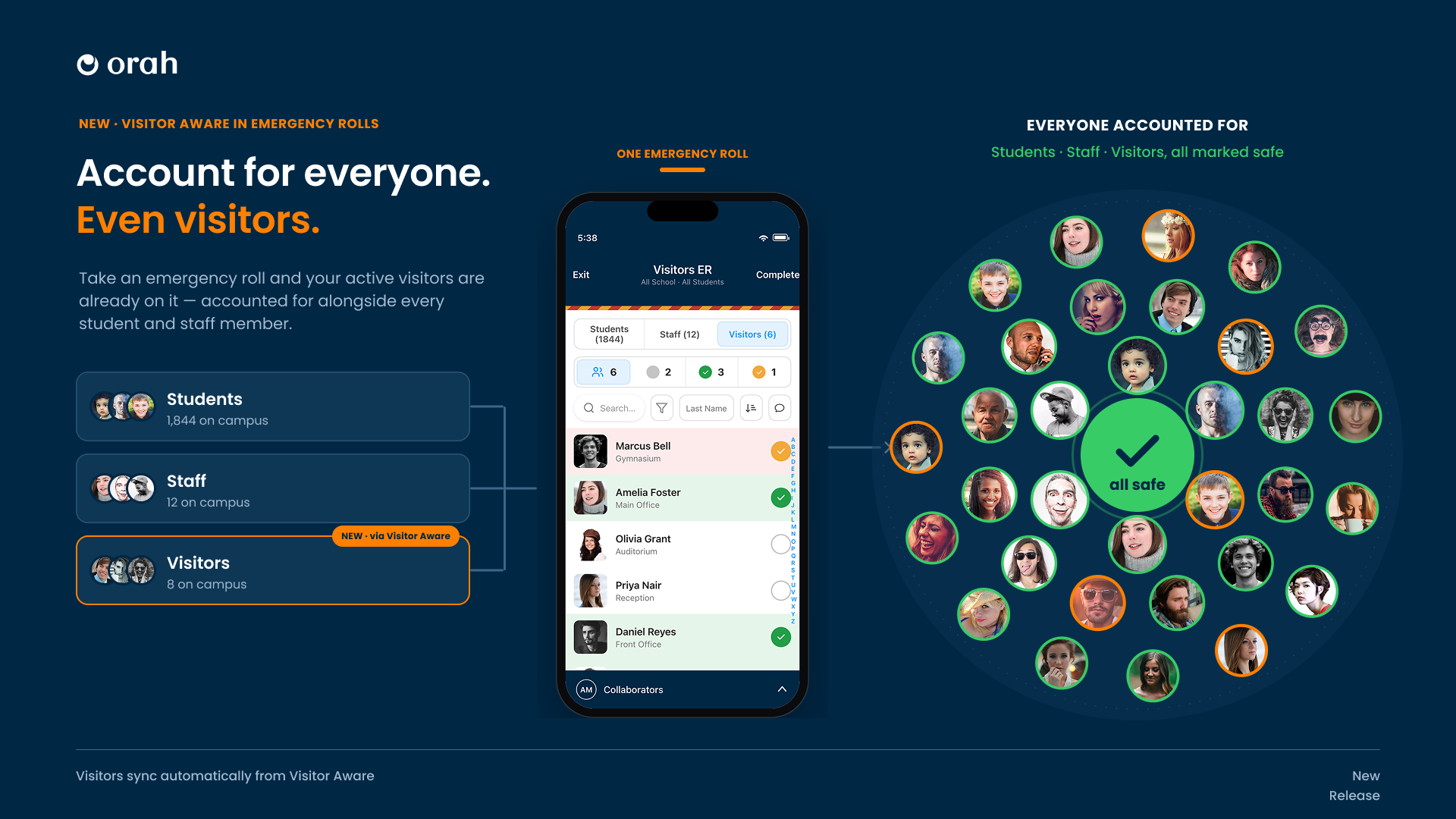
Start an emergency roll today and every student and staff member appears on it. The eight visitors signed in at reception do not. From this release, anyone checked in through Visitor Aware lands on the roll with everyone else, across every campus you run, and gets marked safe from the same screen your team already uses.
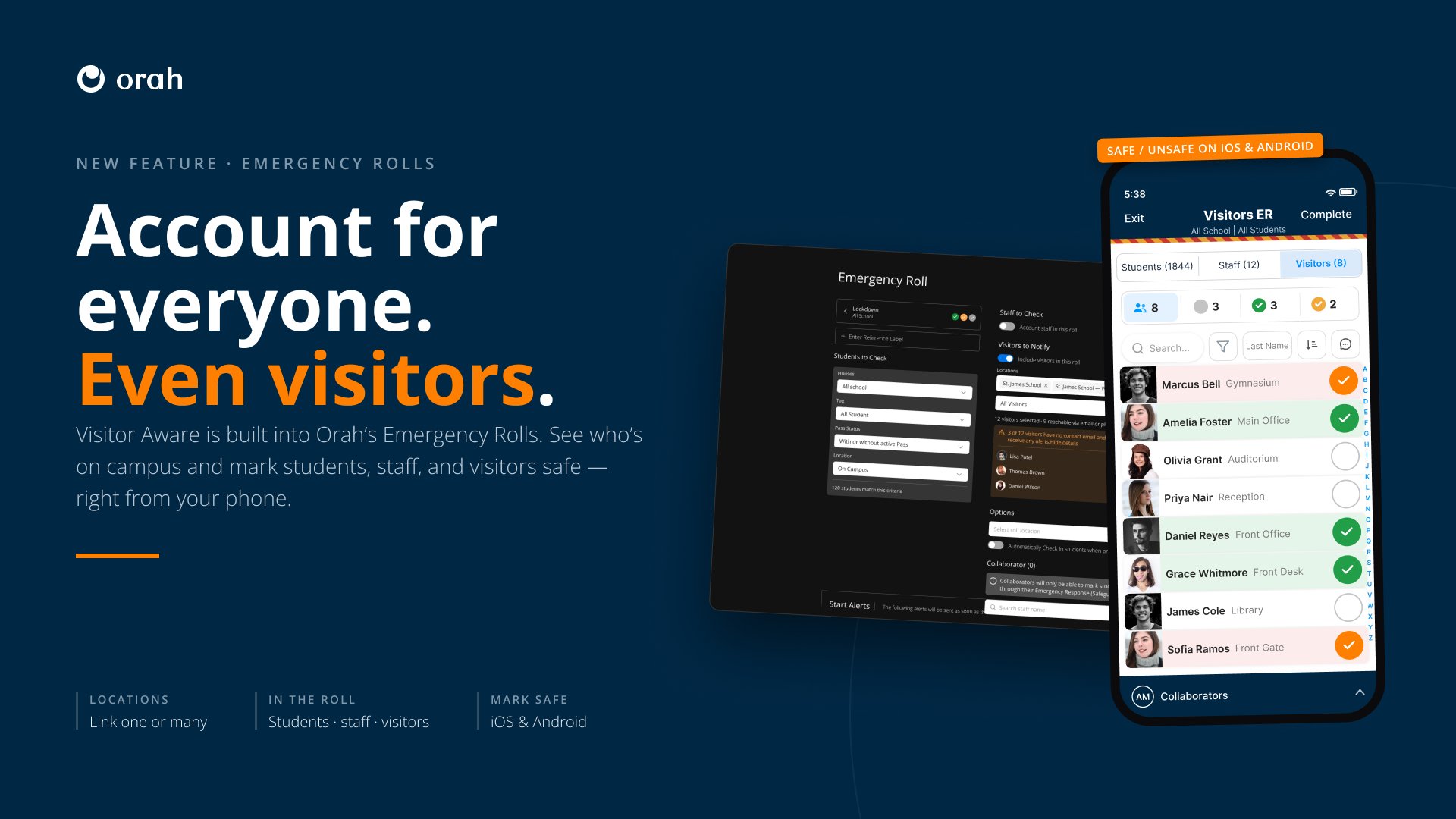
What you get, step by step:
1. Link your campuses once
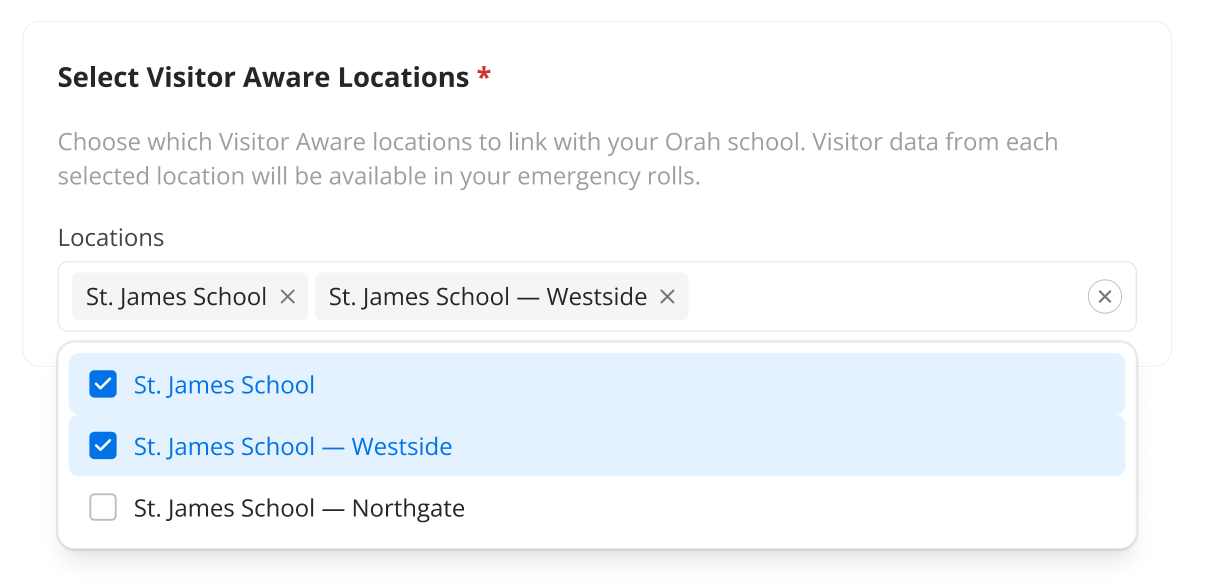
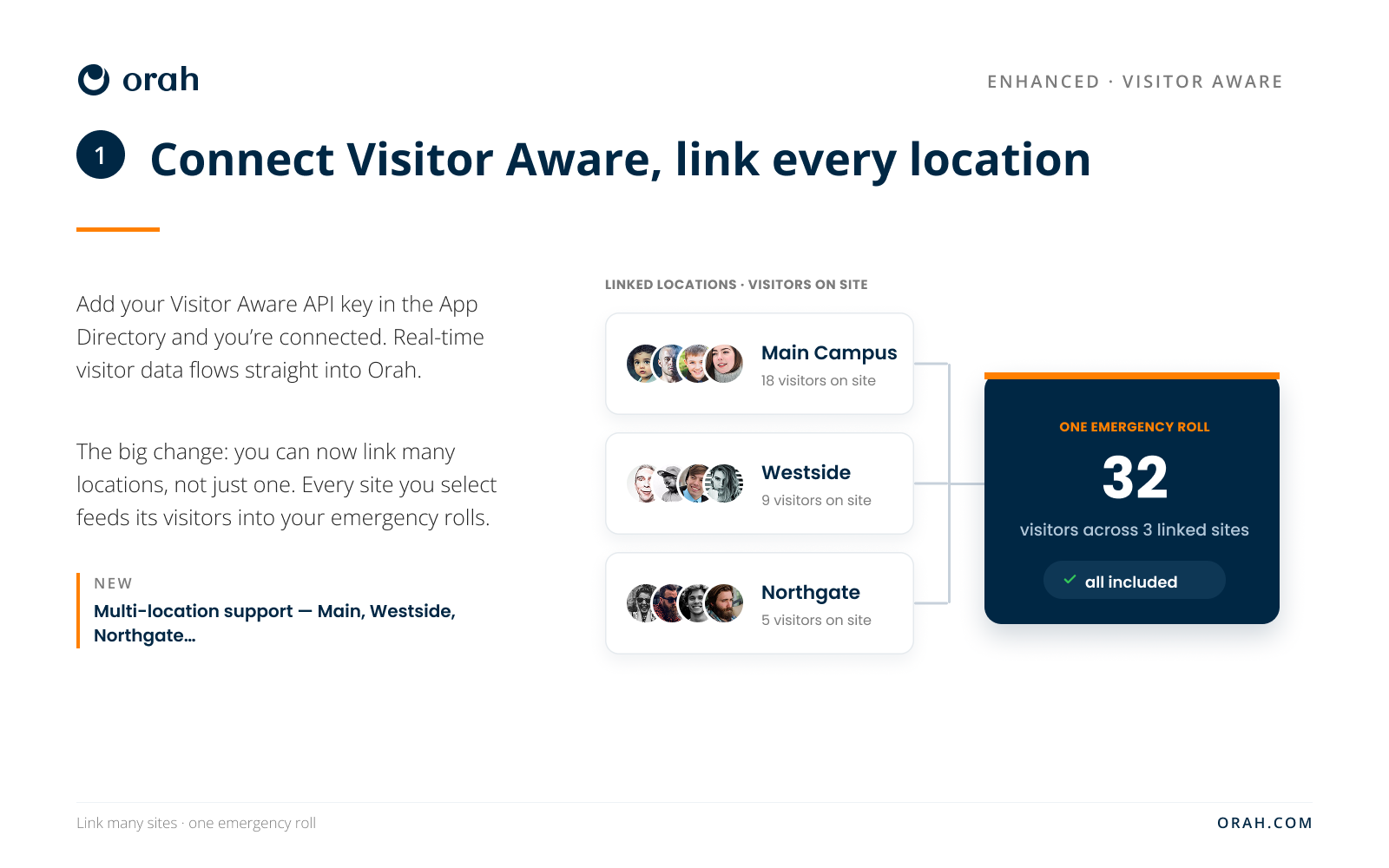
Open Visitor Aware in the App Directory, paste the API key from your Visitor Aware account, and choose the sites you want Orah to watch. Link one. Or link Main, Westside and Northgate together, each with its own connection and its own live visitor count, so a roll you start covers exactly the campuses you picked and nothing more.
2. Visitors appear on the roll
Open a roll and there is a Visitors tab sitting beside Students (1,844) and Staff (12). Marcus Bell in the Gymnasium. Amelia Foster in the Main Office. Every person who signed in at a front desk, listed with the destination they were heading to and the time they arrived, pulled from Visitor Aware the moment the roll starts.
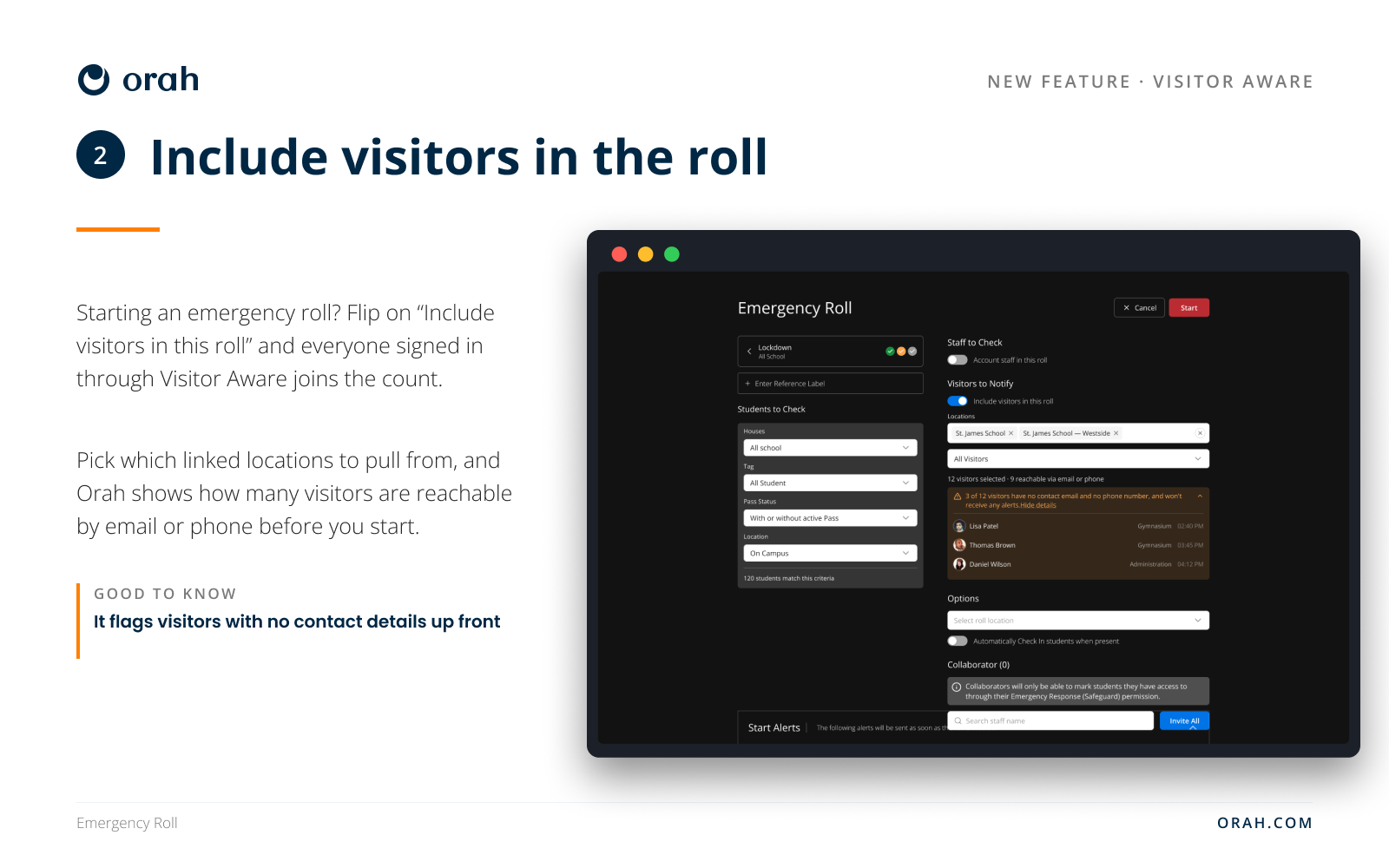
3. Choose who gets the alert
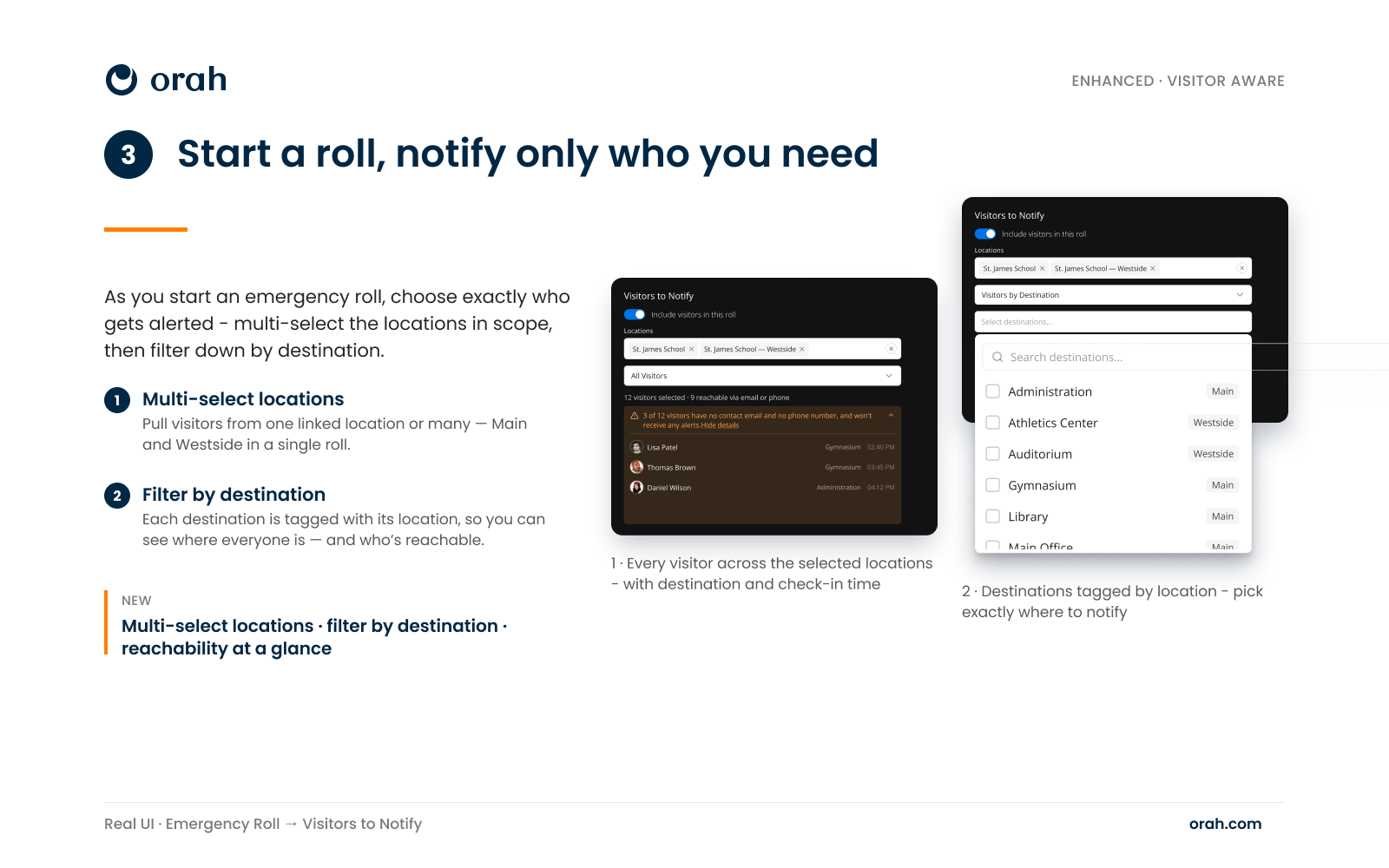
Turn on "Include visitors in this roll" and pick your audience before anyone is contacted. All visitors across the locations you selected, or only the people heading to certain destinations, with every destination tagged by campus so Gymnasium (Main) never gets mixed up with Auditorium (Westside). A running count sits under the picker: 12 visitors selected, 9 reachable by email or phone. Orah names the other three and shows their photos, because a volunteer who left the phone field blank still has to be found in person
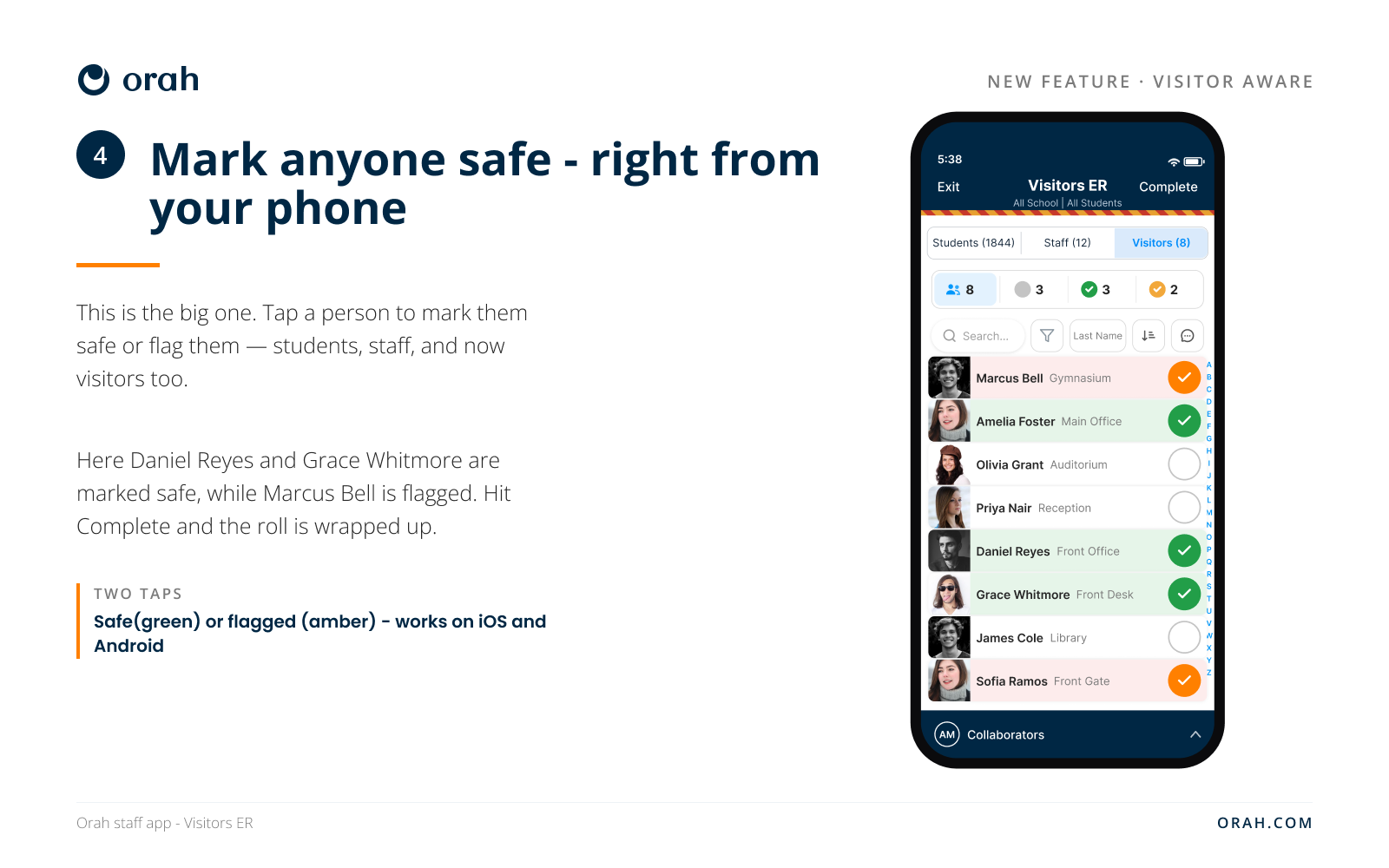
4. Mark safe from your phone
Tap a visitor safe and the row turns green. Flag one who needs help and it turns amber. Several staff can work the same roll at once from iOS, Android or the web, and the unaccounted count drops live as they go. Nobody has to be at a desk.
Instructions:
If you run more than one campus, go to App Directory, open Visitor Aware, and add each site with its own API key. Single-campus schools keep their existing connection and have nothing to reconfigure. Check the all-clear wording so it matches how your school talks to guests. Then run a drill with visitors on site.